- DATE:
- AUTHOR:
- Chord Product Team
Smart, Fast, and Actionable: What’s New in January 2026
Welcome to your monthly Chord release notes! Here’s what’s new, improved, or fixed across the Chord platform this month.
New Features
Smarter Suggestions with the Chord AI Recommendations Agent
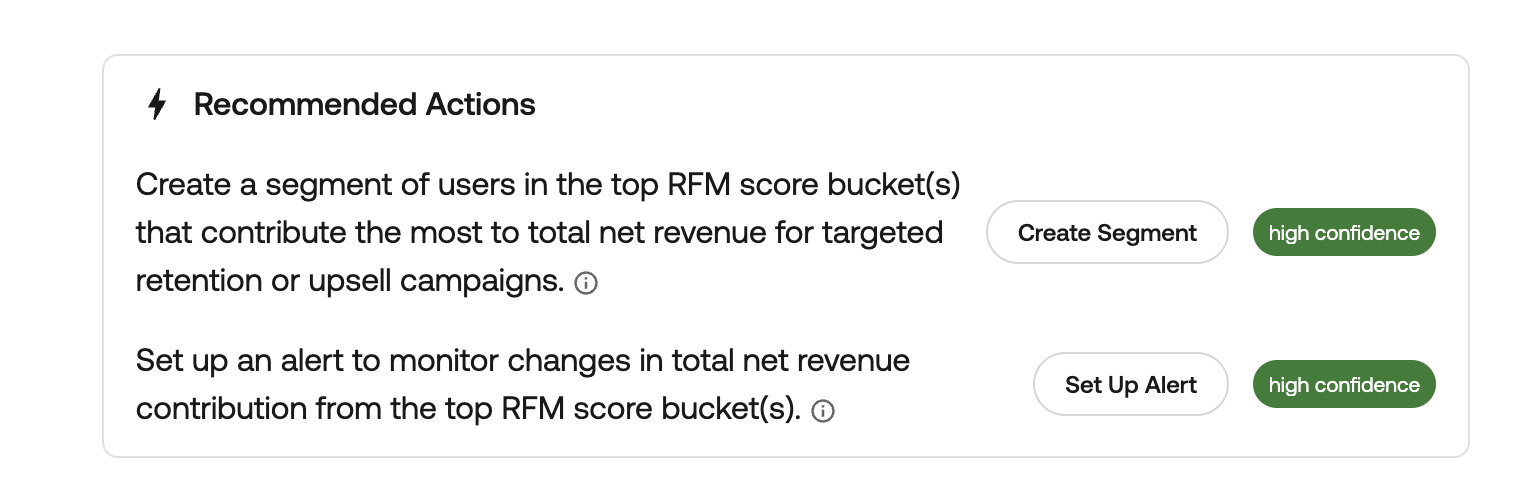
Copilot now includes a built-in Recommendations Agent that suggests up to three next-step actions based on your query and results. Whether it's creating an audience segment or exploring a related audience, recommendations come with confidence levels (High, Medium, Low) to help you prioritize what’s most relevant. The model is designed to favor fewer, high-quality suggestions — so you only see what’s truly useful.
It's like having a data-savvy teammate who surfaces the next best question to ask — automatically.
For more information about how the Recommendations Agent works, check out our documentation!
A Note on How Chord Uses Your Feedback
You may have noticed the  /
/  icons in Copilot. When you rate an answer, we don’t just log it — we actively use your feedback to improve Copilot’s performance, accuracy, and helpfulness. Every thumbs up helps reinforce what’s working; every thumbs down tells us where to focus next.
Try it out: Ask Copilot a question, explore a Recommended Action, and use the feedback icons to help shape what’s next. We’d love to know what feels helpful — and what still needs work.
Create Audiences Faster With the New Create Audience Button
We’ve made building audiences even easier with the introduction of a single Create Audience button directly in Explore. When you’ve defined the filters and segments you care about in an Explore, the new Create Audience button lets you:
Capture your current Explore state — everything you’ve filtered, defined, and scoped becomes the basis of the audience.
Name your audience — immediately give it a meaningful label to match your use case.
Save it directly to the Shared Audiences folder — no need to navigate to a separate screen or export anything manually.
Bonus: Automatic Selection
Once the audience is created and saved, it will be automatically pre‑selected when you go to the Shared Audiences view - you will immediately see it in context or take action with it.
This enhancement streamlines audience creation and reduces the number of steps needed to capture actionable segments of users for campaigns, analysis, or activation.
Coming Soon: Expanded Chord Copilot Memory
We’re working on expanded Copilot chat memory, so you can ask follow-up questions and reference past answers more naturally. This means smarter conversations, more context, and fewer rephrased questions.
Stay tuned — it’s coming soon!
Improvements
New CDP Destinations
We’ve expanded our CDP destination catalog to support more marketing and measurement tools out of the box. You can now send Chord events to additional platforms with just a few clicks — enabling faster activation, cleaner integrations, and greater flexibility in your data stack.
Find more information on our new CDP destinations here:
To view and connect the latest destinations, head to CDP > Destinations in your Chord dashboard.
Set Custom Alert Thresholds for CDP Notifications
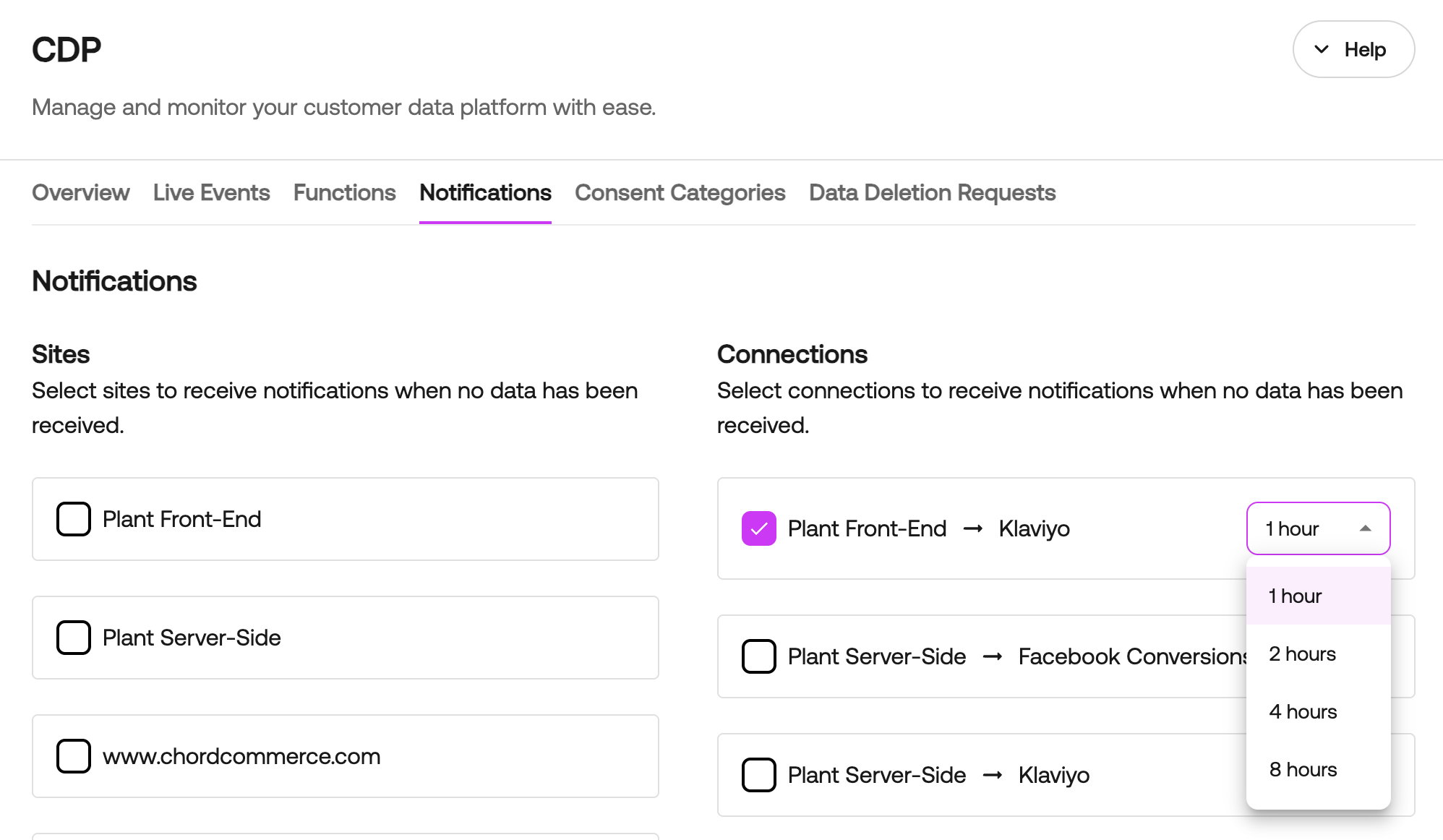
You can now customize the threshold for when you’ll be alerted if no data is ingested from a source or delivered to a destination. This update helps reduce noise from false positives — especially for connections that naturally receive data less frequently.
Head to the Notifications tab in the Chord CDP, select the sources or destinations you want to monitor, and choose a threshold window: 1, 2, 4, or 8 hours. If no data is received within that timeframe, Chord will notify you — ensuring timely alerts without overwhelming your inbox.
Lightning-Fast Team Member Search
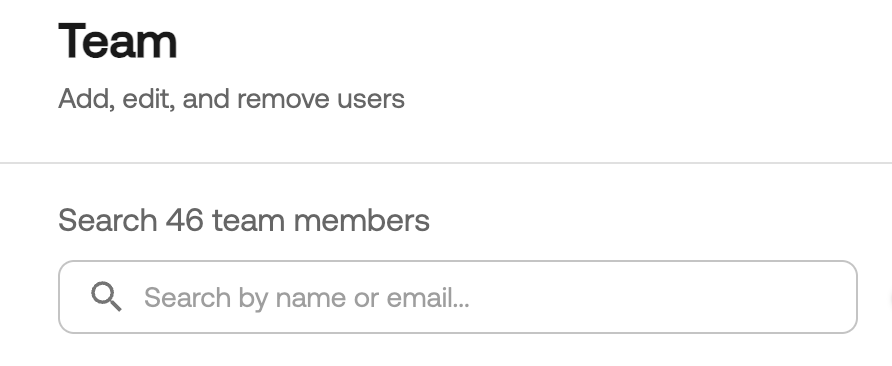
Finding your teammates just got way easier. You can now search for any team member directly from the Team page using our new streamlined search bar. No more scrolling — just type and find them instantly.
Fixes
Fixed inconsistent markdown typography in Chord AI.